
For athletes
Upload your Health export. Only your swims are kept — and only you can see them.
For coaches
Distance, pace and heart rate for every swimmer on your team, and nobody else's.
For individuals
No team, no coach — just your own swims, tracked the same way. Join a team later if you want to.
Lap by lap
Stroke, split and SWOLF for every length, grouped into the sets as they were swum.
See it in action
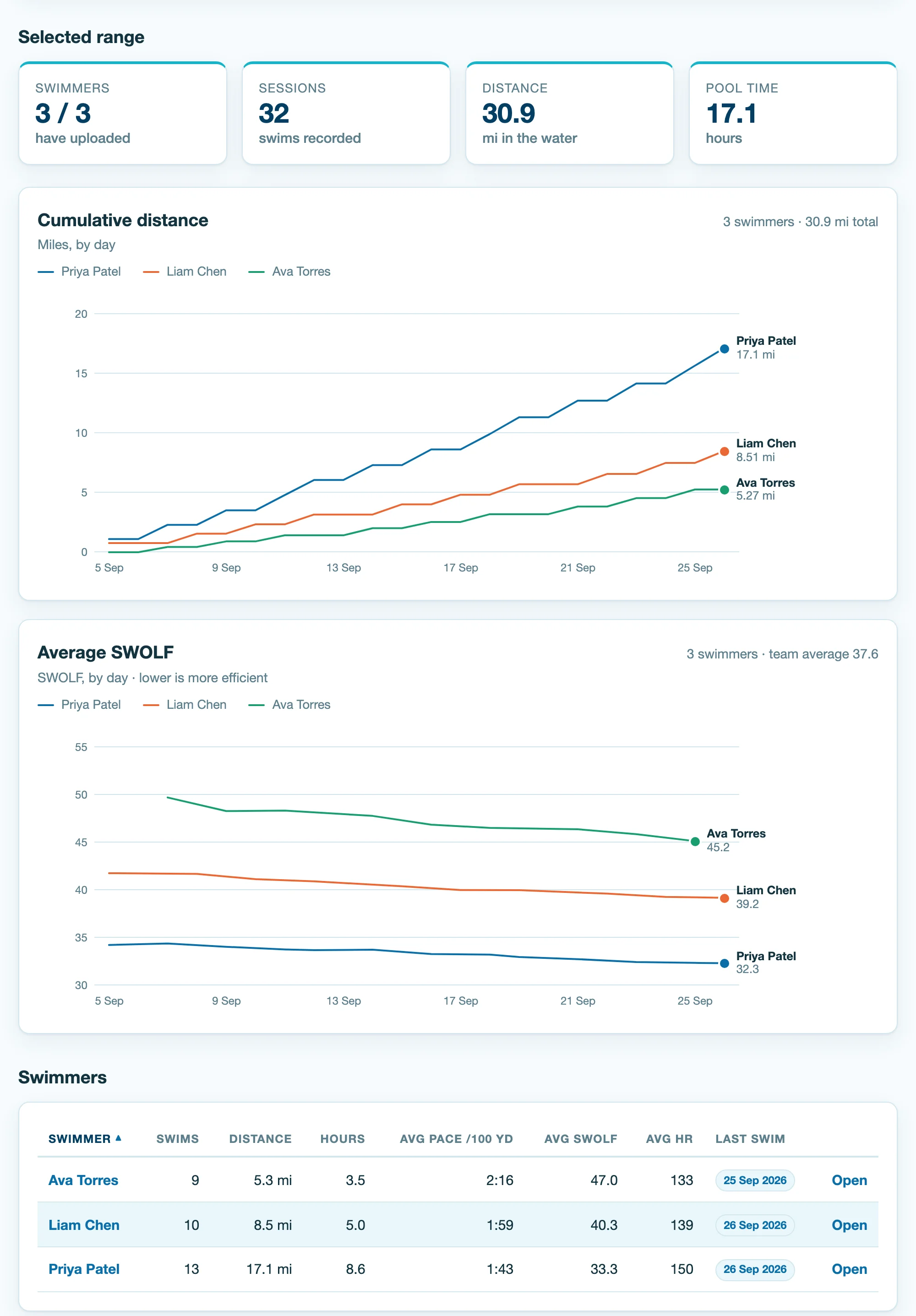
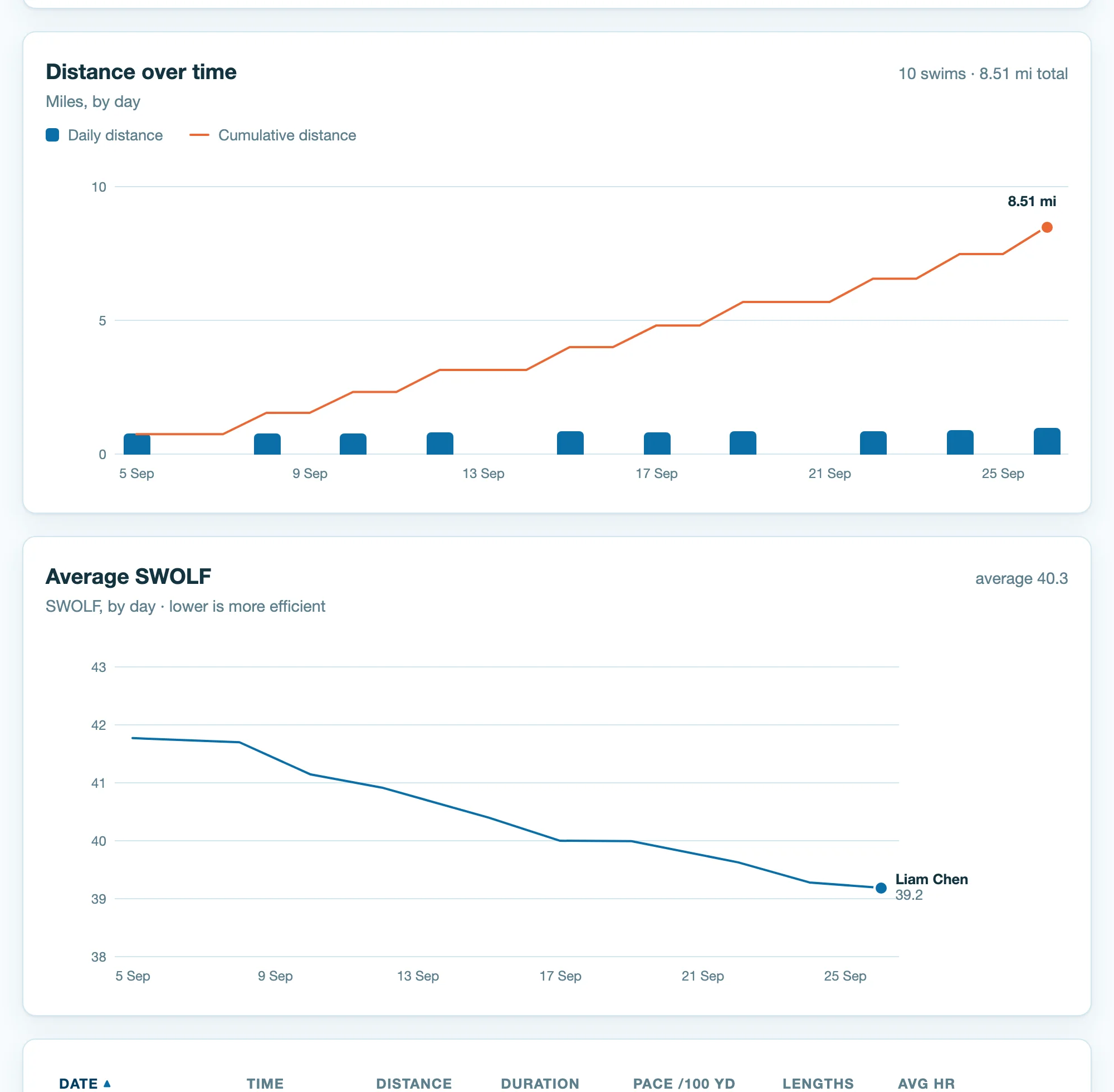
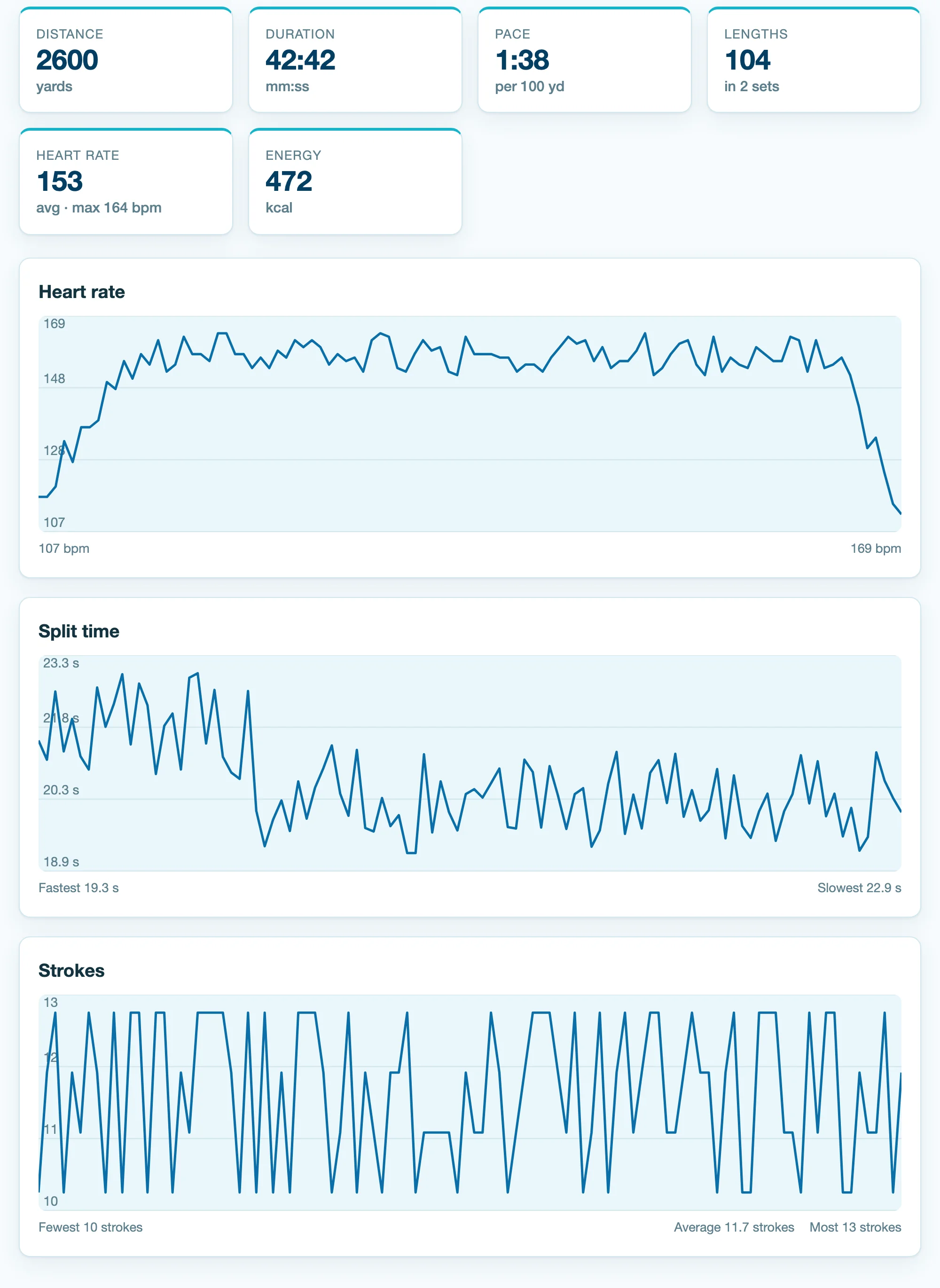
Individuals see the very same view as team members — just with no team attached.
How it works
- Start however fits: a coach creates a team and gets a six-character join code; a team member registers with that code, which puts them on the team; an individual registers on their own, with no team or code needed.
- On iPhone: Health → profile picture → Export All Health Data, then upload the
export.zipit produces. - Swimming workouts are imported. Everything else in the export is discarded.